
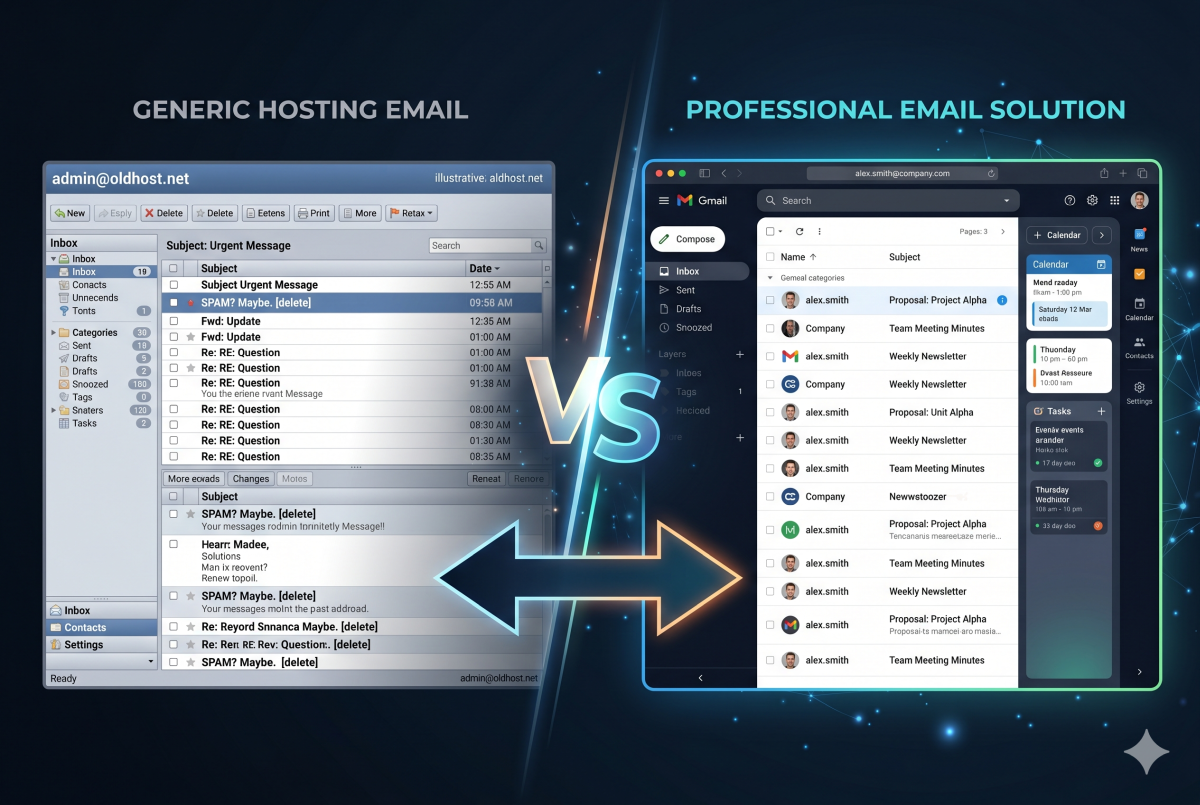
If your agency or your client’s business is using the email that came bundled with the web hosting account, you’re one server hiccup away from a very bad day. cPanel email works — technically. But “works technically” and “works reliably for business” are two very different things, and the gap between them has a way of showing up at the worst possible moment.
Here’s why switching to Google Workspace or Microsoft 365 is one of the most practical infrastructure decisions a business can make, and why DivyWeb recommends it to every agency client we work with.
The Convenience Trap of Bundled Email
When a hosting account comes with unlimited email addresses, it feels like a free win. Set up a few mailboxes, point the MX records, done. No extra cost, no extra accounts to manage.
The problem is that bundled cPanel email is designed for convenience, not reliability. Your email and your website are running on the same server, sharing the same resources, living or dying together. That single point of failure is a much bigger risk than most businesses realize until something goes wrong.
Deliverability — The Silent Killer
Email deliverability is the most underappreciated problem with server-based email, and it costs businesses real money without ever announcing itself.
When you send email from a shared hosting server, you’re sharing that server’s IP address with potentially dozens or hundreds of other accounts. If any of those accounts send spam — which happens constantly on shared hosting — your outgoing email inherits the reputation damage. Messages end up in junk folders. Proposals never get read. Client replies bounce.
Google Workspace and Microsoft 365 maintain enormous, battle-hardened email infrastructure with dedicated IP reputation management, sophisticated spam filtering, and deliverability tooling that no shared hosting provider can match. When you send from a @yourdomain.com address through Google or Microsoft, receiving servers trust it. That trust is worth far more than the monthly subscription fee.
Uptime and Reliability
Web servers go down. They go down for maintenance windows, for hardware failures, for capacity issues, for security incidents. When your email lives on the same server as your website, both go down together.
Google Workspace and Microsoft 365 are built on infrastructure with contractual uptime guarantees north of 99.9%. Google’s infrastructure is the same backbone that handles billions of Gmail users. Microsoft’s Exchange Online runs on the same global network that powers Azure. Neither company can afford significant email downtime, which means your business email stays up even when your web server doesn’t.
For companies managing client communications, this isn’t a nice-to-have. A two-hour email outage during a critical project phase is an existential problem for a client relationship.
Security
cPanel email has basic security features. Business-class email platforms have entire security teams.
Google Workspace includes advanced phishing and malware detection, suspicious login alerts, two-factor authentication enforcement across the organization, data loss prevention tools, and email encryption in transit. Microsoft 365 adds Defender for Office 365, advanced threat protection, and compliance tools built for regulated industries.
Beyond the technical features, there’s the question of what happens when something goes wrong. If a cPanel mailbox gets compromised, you’re dealing with it yourself. If a Google Workspace account gets compromised, you have Google’s security tooling, audit logs, and support infrastructure behind you.
For companies handling client credentials, proposals, and sensitive project details via email, this security delta is significant.
Storage, Search, and Mobile Access
cPanel email storage is typically tied to your hosting plan’s disk quota — the same disk your website files, databases, and backups compete for. Run a busy inbox for a few years and you’ll start getting bounce-backs because the disk is full.
Google Workspace starts at 30GB per user with pooled storage across the organization and scales from there. Microsoft 365 starts at 50GB per mailbox with archiving options that extend to effectively unlimited. Both platforms index everything instantly so searching years of email history takes seconds.
Mobile access on cPanel email means configuring IMAP settings manually in whatever app you prefer and hoping it syncs correctly. Google and Microsoft have polished native apps on every platform, with push notifications, calendar integration, contacts sync, and seamless switching between devices built in from day one.
Collaboration Tools
This is where the value proposition of business-class email really expands beyond just email.
Google Workspace gives you Google Meet, Google Chat, Google Drive with real-time document collaboration, Google Calendar with shared availability, and the entire Docs, Sheets, and Slides suite — all integrated with your email and managed under one admin console.
Microsoft 365 gives you Teams for video and chat, SharePoint for document management, OneDrive for file storage, and the full Office application suite including Word, Excel, PowerPoint, and Outlook — again, all under one roof.
cPanel email gives you email.
For agencies coordinating across multiple clients, contractors, and projects, the collaboration layer alone justifies the switch.
Admin Control and IT Management
If someone leaves your agency, you need to be able to immediately suspend their email access, forward their mail, and preserve their inbox. On cPanel this is a manual, error-prone process that requires server admin access.
On Google Workspace or Microsoft 365, this is a two-minute task in an admin console. You can enforce password policies, require two-factor authentication across the organization, remotely wipe a lost device, audit email activity, create distribution lists, and set up shared inboxes — all without touching a server.
For agencies that manage email on behalf of clients, this admin control is essential. It’s the difference between being a professional IT partner and being the person who has to SSH into a server at 10pm because someone got locked out.
What It Actually Costs
Google Workspace Business Starter runs around $6 per user per month. Microsoft 365 Business Basic starts at around $6 per user per month as well. For a five-person agency that’s $30 to $360 per year — a rounding error against what reliable, professional email is worth to a running business.
Compare that to the cost of one missed proposal because it landed in a spam folder, or one afternoon of lost productivity because the web server was down, or one security incident on a compromised mailbox.
The math is not close.
The Migration Is Easier Than You Think
The most common reason companies and clients stick with cPanel email is inertia — the mailboxes are already set up, the phones are already configured, and migrating feels like a project nobody wants to take on.
In practice, a Google Workspace or Microsoft 365 migration for a small business is a well-documented, predictable process. It involves updating MX records, migrating existing email to the new platform, and reconfiguring devices. DivyWeb handles this end to end — the cutover typically happens with zero or near-zero downtime, and most clients are surprised by how smooth it is.
The Bottom Line
cPanel email is a feature that comes with web hosting. Google Workspace and Microsoft 365 are business communication platforms built by two of the largest technology companies in the world. Using the former when the latter is available — and affordable — is a false economy that shows up eventually in deliverability problems, downtime, security incidents, or just the daily friction of an email platform that wasn’t built for serious business use.
If you’re an agency managing client infrastructure, pushing clients onto a business-class email platform is one of the most impactful recommendations you can make. It reduces support burden, reduces risk, and improves the client’s day-to-day experience with technology.
If you need help migrating a client — or your own agency — from cPanel email to Google Workspace or Microsoft 365, get in touch. It’s one of our most common engagements and we’ve got the process down cold.